4-in-1 Wireless Charger + Alarm Clock for Apple Devices
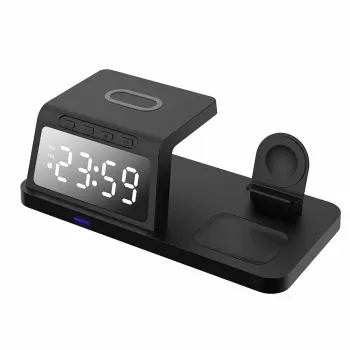
4-in-1 Wireless Charging Station with Alarm Clock for iPhone, Apple Watch & AirPods
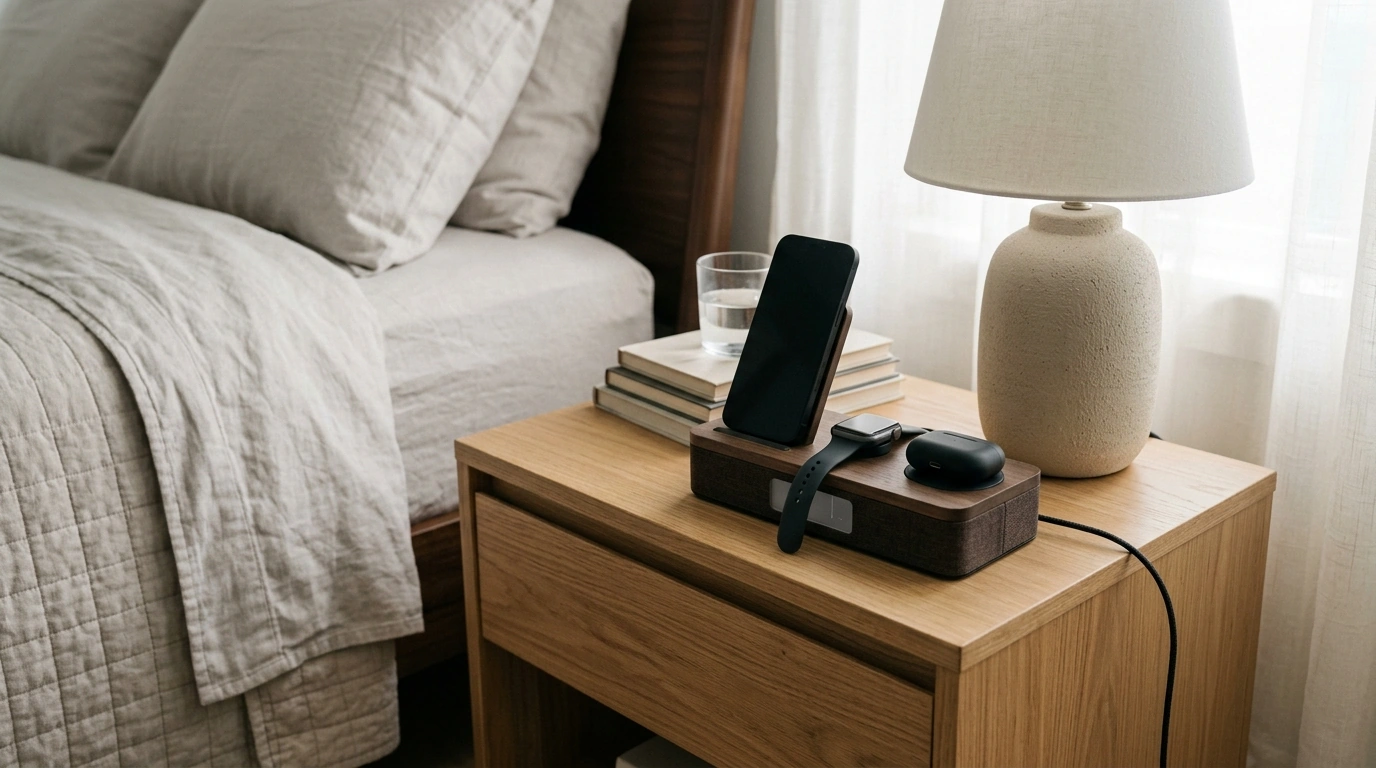
A single bedside hub can reduce cable clutter while keeping daily essentials powered and easy to find. The 4-in-1 Wireless Charging Station with Alarm Clock for iPhone, Apple Watch & AirPods combines multi-device wireless charging with a built-in clock, creating a tidy, repeatable routine for mornings and nights. Whether it lives on a nightstand, a work desk, or in a travel setup, it’s designed to keep your phone, watch, and earbuds charging in one organized spot—without the usual tangle of separate cables and adapters.
What this 4-in-1 station does well
Multi-device charging works best when it’s simple enough to use every day. This 4-in-1 layout keeps the essentials together, so you’re less likely to leave a device half-charged (or misplaced) when you’re rushing out the door.
- Combines charging and timekeeping in one footprint to simplify a nightstand setup
- Supports a multi-device routine: phone, watch, and earbuds ready in one place
- Reduces outlet and cable sprawl compared with separate chargers
- Encourages consistent charging habits by giving each device a dedicated spot
Everyday use cases: nightstand, desk, and travel
A charging station earns its spot when it fits real routines—not just the “perfect” setup. Here are practical ways it can slot into daily life.
- Nightstand: Set the alarm once and dock devices each evening to avoid low-battery mornings.
- Work desk: Keep the phone visible while it charges, and place earbuds where they won’t get buried under papers or lost in a bag.
- Shared spaces: A central station helps keep small devices organized in one location, especially for households with multiple Apple accessories.
- Overnight routine tip: Dock the watch and earbuds first, then place the phone last so it’s easy to confirm charging is active before lights out.
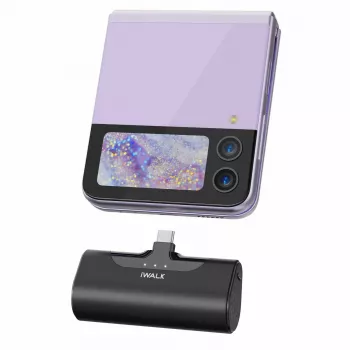
If you want backup power away from outlets, pairing a bedside station with a travel-friendly battery can be a smart combo. Consider adding the Compact Portable Power Bank for day trips, long flights, or emergency charging when you can’t get to a wall plug.
Compatibility and setup notes
Wireless charging is convenient, but it’s also sensitive to alignment and distance. A few setup checks can make the difference between “charges every night” and “sometimes stops at 2 a.m.”
- For iPhone: Wireless charging works best with cases that are not overly thick or metal-backed.
- For Apple Watch: Ensure the watch charging area aligns properly; reposition if charging does not start.
- For AirPods: Wireless-charging cases typically work; confirm the case supports wireless charging.
- Placement matters: Align each device with its charging zone for stable overnight charging.
- Camera bump note: If using a phone with a prominent camera bump, verify it sits flat enough for consistent coil contact.
For a deeper overview of how wireless charging behaves with cases and alignment, Apple’s guide is a helpful reference: Apple Support: About wireless charging. For general standards and Qi basics, the Qi Wireless Power Consortium is a reputable source.
Alarm clock features that matter at the bedside
A built-in alarm clock isn’t just “nice to have” if you’re trying to keep your phone off the pillow—or reduce late-night screen time.
- Glanceable time display: Checking the time without picking up the phone helps avoid the “unlock-and-scroll” trap.
- A dedicated alarm: A clock can be more predictable than a phone alarm when notification settings, focus modes, or silent switches change.
- Shared routine: In family bedrooms or shared spaces, a single visible clock can serve as a consistent morning cue.
- Brightness and placement: Consider where the display faces to reduce glare; small adjustments can make sleep more comfortable.
How to choose the right multi-device charging station
Not all multi-chargers behave the same. Before buying, it helps to match the station to the devices and habits that actually show up every day.
Quick checklist before buying
| Check | Why it matters | What to do |
|---|---|---|
| Phone case thickness | Too much distance can interrupt charging | Test with the case on; remove if charging is inconsistent |
| Watch alignment | Misalignment stops charging | Place the watch carefully; confirm the charging icon appears |
| AirPods case type | Not all cases support wireless charging | Verify the case is wireless-charge compatible |
| Power source | Insufficient power can slow or interrupt charging | Use a suitable wall adapter as recommended for multi-device charging |
| Bedside placement | Light and vibration can affect sleep | Angle the display away and secure the station on a stable surface |
Care, safety, and performance tips
Product snapshot
| Item | Details |
|---|---|
| Product | 4-in-1 Wireless Charging Station with Alarm Clock for iPhone, Apple Watch & AirPods |
| Price | $24.82 USD |
| Availability | In stock |
| Best for | Nightstand organization, multi-device charging, simple morning routine |
FAQ
Will this charge iPhone, Apple Watch, and AirPods at the same time?
Yes, it’s designed for simultaneous charging across the phone, watch, and earbuds zones. For the best results, use an appropriate power adapter and make sure each device is properly aligned on its charging area.
Does wireless charging work with a phone case on?
Wireless charging often works with many standard cases, especially slim non-metal designs. If charging seems inconsistent, remove thick or rugged cases and avoid metal-backed cases or bulky accessories that increase the distance to the charging coil.
What should be checked if a device stops charging overnight?
First, realign the device and remove any metal objects or obstructions from the charging surface. Then try charging without the case, confirm the wall adapter and cable are securely connected, and ensure the Apple Watch is seated correctly so charging starts.










Leave a comment