1.8in Bluetooth MP3/MP4 Player with Recorder & Speaker
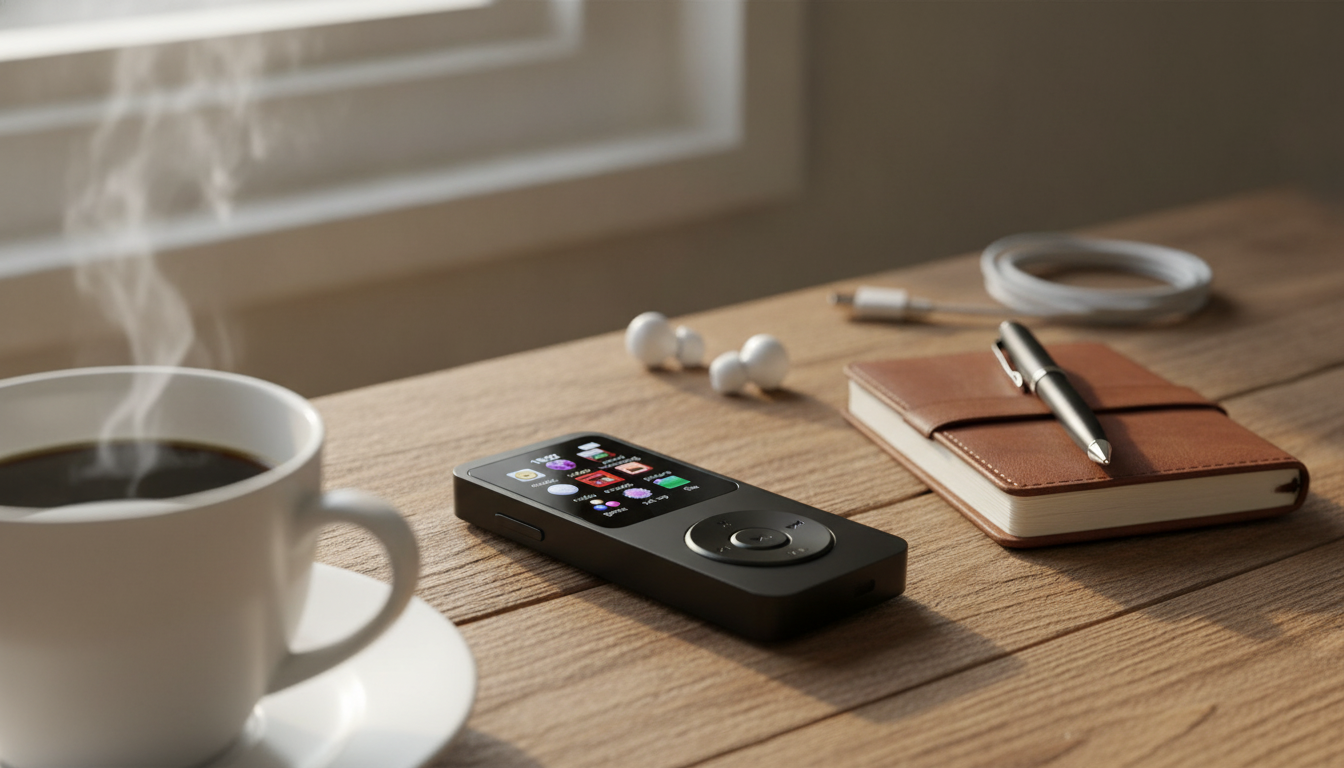
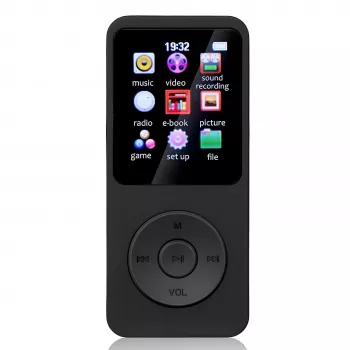
1.8″ Bluetooth MP3/MP4 Music Player with Recorder & Speaker: Pocket Audio for Commutes, Classes, and Offline Listening
A small music player can be the easiest way to keep audio close without draining a phone battery or relying on a data connection. A 1.8″ Bluetooth MP3/MP4 player with a built-in recorder and speaker is made for simple, day-to-day listening: load files once, press play anywhere, pair to wireless earbuds when you want, and capture quick voice notes when an idea (or an assignment) hits.
What this player is designed to do
- Portable playback for offline music and video in a compact form factor
- Bluetooth pairing for wireless headphones, earbuds, and compatible speakers
- Built-in speaker for quick listening without accessories
- Voice recording for classes, meetings, practice sessions, or reminders
- A phone-free option for workouts, commutes, kids’ listening, or travel
If the goal is a dedicated device that plays what you’ve already saved—without notifications, background apps, or streaming dropouts—this style of player keeps things straightforward.
Everyday use cases that fit the features
- Commuting: keep a dedicated playlist device so calls and notifications stay on the phone.
- Studying: record short summaries or lectures (when permitted) and replay key segments.
- Workouts: pair Bluetooth earbuds and leave the phone behind for a lighter carry.
- Travel: offline listening on flights or in areas with limited reception.
- Kids or shared spaces: use the onboard speaker at low volume for quick playback.
Key features to look at before buying
Screen size and navigation
A 1.8″ display favors portability. The tradeoff is that browsing huge libraries can feel slower than on a phone, so simple menus and folder organization matter more.
Bluetooth stability
Bluetooth performance depends heavily on distance and obstacles. Keeping the player and earbuds on the same side of your body, staying within a reasonable range, and avoiding crowded wireless environments usually improves reliability. For background on how Bluetooth is standardized, see the Bluetooth Core Specification (Bluetooth SIG).
Speaker usefulness
The built-in speaker is best for quick listening—think short podcasts, voice notes, or previewing a track while packing. It’s not meant to replace a larger speaker for room-filling sound.
Recording workflow
For voice notes, the “how fast can I start recording?” question is key. A good workflow is one where recording starts quickly, files save predictably, and playback is easy to find later.
File support expectations
Before loading a massive library, confirm which audio/video formats are supported and how transfer works. A small test batch helps reveal naming quirks and whether files play smoothly.
Quick spec snapshot and feature checklist
Use this checklist to confirm fit for your routine (wireless audio, quick notes, or simple offline playback). If Bluetooth listening is the main goal, prioritize pairing ease and stable connection over speaker volume. If recording is the main goal, prioritize one-touch recording and easy file transfer to a computer.
| Feature | Why it matters | What to confirm |
|---|---|---|
| Bluetooth audio | Wireless listening without cables | Pairs with earbuds/headphones/speakers and reconnects reliably |
| Built-in speaker | Quick playback without accessories | Clear enough for voice/podcasts at close range |
| Voice recorder | Captures notes, classes, ideas | Fast start, saves files clearly, easy playback |
| 1.8″ screen | Pocket-friendly navigation | Readable menus and straightforward controls |
| MP3/MP4 playback | Music plus basic video support | Supported formats and smooth playback |
| File transfer | Loading music and saving recordings | Simple connection to a computer and predictable folder structure |
How to set it up for smooth listening
- Charge fully before first use to reduce early battery drain and avoid interruptions.
- Load a small test batch first to confirm format compatibility and naming behavior.
- Create folders by artist/album or mood to make browsing easier on a small screen.
- For Bluetooth: put headphones/earbuds into pairing mode first, then search/connect from the player.
- If audio stutters on Bluetooth, reduce distance, remove obstacles, and avoid crowded wireless areas when possible.
For longer listening sessions, keep volume at a comfortable level. If you’re using earbuds daily, it’s worth reviewing safe listening guidance from NIOSH/CDC to reduce the risk of noise-related hearing damage.
Getting better recordings with a built-in mic
- Record closer to the sound source; distance is usually the biggest factor in clarity.
- Minimize rustling: keep the player steady and avoid touching the mic area during recording.
- Choose a quieter spot when possible; background noise is harder to remove later.
- Make a 10–15 second test recording to check levels and clarity before a long session.
- Rename or organize recordings after transfer so important clips are easy to find.
When recording classes or meetings, follow local laws and school/workplace policies, and get permission when required.
Who this type of player is best for
Price, value, and what to expect at this size
In-stock picks
- 1.8″ Bluetooth MP3/MP4 Music Player with Recorder & Speaker (in stock)
- Personalized Balloon Letter Necklace (in stock)
FAQ
Can it connect to Bluetooth earbuds or a wireless speaker?
Yes—put your earbuds or speaker into pairing mode first, then open the player’s Bluetooth menu to search and connect. If it doesn’t pair, move closer, toggle Bluetooth off/on, or “forget” the device and re-pair from scratch.
How good is the built-in speaker for everyday listening?
It’s best for close-range sound like voice notes, podcasts, and quick previews. For louder music in a room or outdoors, Bluetooth earbuds or a dedicated speaker will typically sound fuller.
How does the voice recorder work for classes or meetings?
Start recording from the recorder function and keep the device steady and reasonably close to the speaker for clearer audio. Always confirm permission requirements before recording in classrooms or workplaces.








Leave a comment