Indoor 500-Mile HDTV Antenna: Setup, Booster & Tips
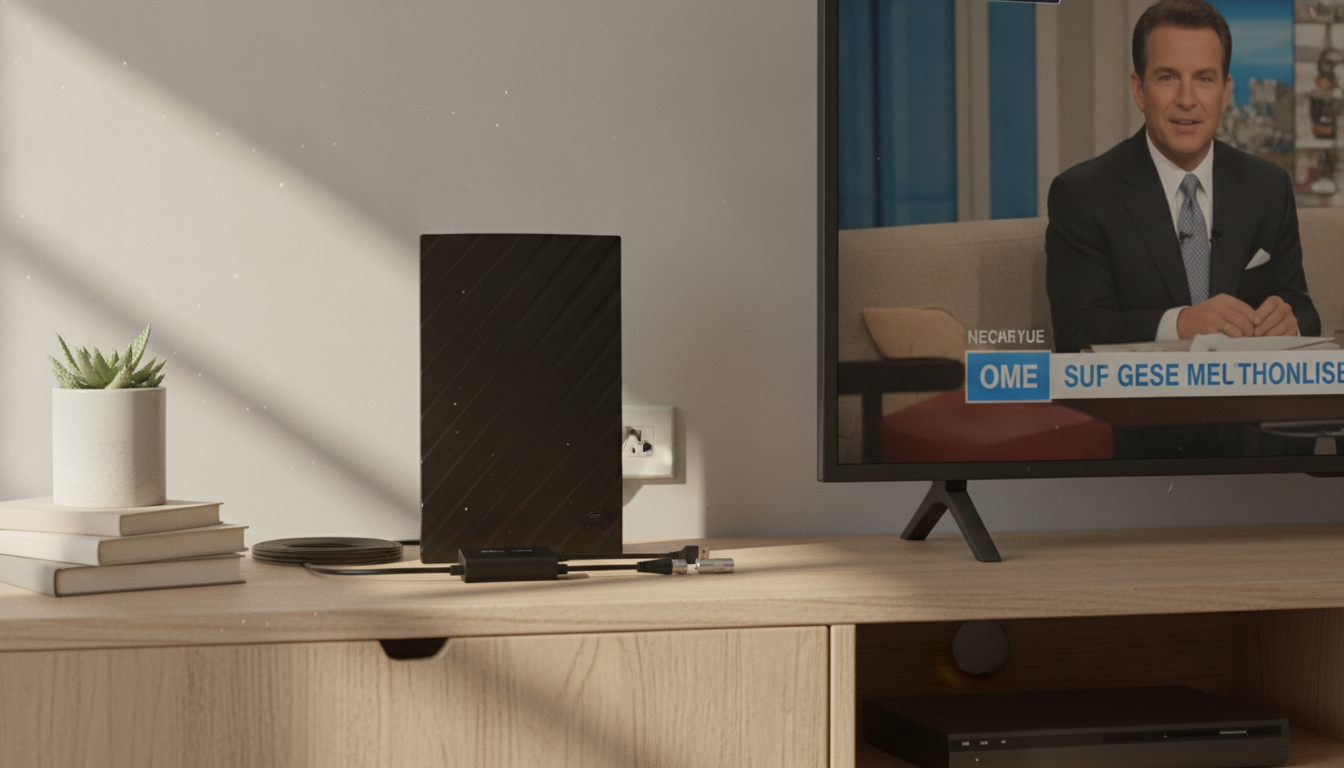
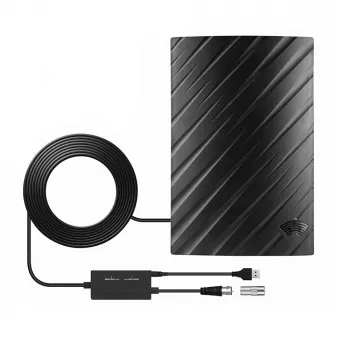
500 Miles Digital HDTV Antenna with 4K/1080P Signal Booster and 16.4FT Cable: What It Really Does Indoors
A compact indoor HDTV antenna is a straightforward way to watch free over-the-air broadcast channels—often including major networks, local news, and live sports—without adding another monthly bill. The 500 Miles Digital HDTV Antenna with 4K/1080P support, a built-in signal booster, and a 16.4FT coax cable is built for flexible placement in rooms where the TV can’t easily move. Below is a practical guide to what it’s designed to do, how to set it up, and what makes reception better (or worse) in real homes.
What This Antenna Is Designed to Do
This indoor digital antenna is made to capture free broadcast signals from local TV stations. Results vary by location, but the goal is consistent: get a stable lock on nearby towers, then let your TV decode the channels.
- Receives free over-the-air broadcast TV from local stations, depending on distance, terrain, building materials, and indoor placement.
- Supports modern broadcast signals and can display up to 4K/1080P picture quality when the station transmits at those resolutions.
- Includes a signal booster to help offset losses that happen indoors (walls, wiring, and less-than-ideal placement).
- Uses a 16.4FT coax cable so you can try better reception spots—like a window—without relocating the TV.
Key Features and Practical Benefits
Indoor antennas can feel “hit or miss” until placement is dialed in. These features are meant to make that tuning process easier and more forgiving.
- Signal booster: Helpful when signals are borderline due to thick walls or when you need to run a longer cable to reach a good spot.
- Long 16.4FT coax cable: Lets the antenna live where reception is best (window-facing, higher shelf, exterior wall) while the TV stays put.
- Indoor-friendly size: Works well for apartments, dorms, bedrooms, RV parking setups, and secondary TVs.
- Works with most TVs: Connects to the TV’s ANT/CABLE (RF) input and is compatible with televisions that include an ATSC tuner (common on most modern TVs).
- Low ongoing cost: Once channels are tuned, over-the-air broadcasts don’t require monthly fees.
Setup and Channel Scan (Quick Start)
Most reception problems come down to one of two things: the TV is scanning the wrong mode (Cable instead of Air), or the antenna isn’t in a good spot yet. A clean setup sequence fixes both.
- Connect: Attach the coax cable from the antenna to the TV’s ANT/CABLE input.
- Power the booster (if required): Connect the amplifier’s USB power lead to a TV USB port or a USB wall adapter.
- Place the antenna: Start near a window or on an exterior-facing wall, as high as practical, and away from large metal objects.
- Run a channel scan: On the TV, select Antenna/Air (not Cable), then scan for channels.
- Fine-tune: Move the antenna a few feet at a time and rescan if channel count is low or channels break up.
Placement Tips That Usually Improve Reception
Small changes can make a surprisingly big difference indoors. If your first scan is disappointing, treat it as a baseline and adjust step-by-step.
- Aim for line-of-sight: Locations facing broadcast towers (often toward the nearest city) tend to perform better.
- Prefer windows: Glass usually blocks less signal than concrete, brick, stucco with metal lath, or foil-backed insulation.
- Height matters: Moving from TV-stand level to a higher shelf can reduce multipath interference.
- Reduce interference: Keep distance from Wi-Fi routers, Bluetooth hubs, microwave ovens, large power bricks, and bundled power cables.
- Use the cable wisely: Avoid tight coils and sharp bends; keep coax runs neat to reduce signal loss.
What Affects Real-World Range and Channel Count
“Range” claims are marketing shorthand, but reception is always a mix of physics and geography. Indoors, the environment matters as much as the antenna.
To estimate what channels you can reasonably expect, use a transmitter lookup tool before you buy or before you start moving equipment around. The FCC DTV Reception Maps and AntennaWeb can show tower distances and directions. For general background on watching local broadcast TV, see NCTA.
Specifications and What They Mean
| Detail | What to Expect |
|---|---|
| Product | Digital indoor HDTV antenna with signal booster |
| Supported video | Up to 4K / 1080P (when available from local broadcast) |
| Cable length | 16.4FT coax cable |
| Typical use | Free over-the-air local channels (news, sports, major networks where available) |
| Placement | Indoors; best near windows or exterior walls |
| Current price | 24.01 USD |
| Availability | In stock |
Common Problems and Fast Fixes
Recommended In-Stock Options
- 500 Miles Digital HDTV Antenna – 4K 1080P Signal Booster with 16.4FT Cable
- Personalized Balloon Letter Necklace
- Kids Wooden Tool Bench Set
Who This Antenna Fits Best
FAQ
Does an indoor HDTV antenna work with any TV?
Most modern TVs include an ATSC tuner and have an ANT/CABLE input, so an indoor antenna works with a simple coax connection. For older displays without a tuner, an external ATSC tuner/receiver is needed, and you’ll still select Antenna/Air and run a channel scan.
Why does the antenna find channels but they still pixelate or drop out?
That usually points to weak signal, indoor obstructions, interference, or multipath reflections. Try moving the antenna higher or closer to a window, keep the coax away from power cords, rescan after each move, and test without the booster if you’re in a strong-signal area.
Do “500 miles” claims guarantee reception that far away?
No—real-world reception depends on tower distance, terrain, and installation, and indoor antennas typically perform best for local and regional stations. A tower lookup tool can help you estimate expected channels and identify the best direction for placement.







Leave a comment